bergr GitHub

herdr, in your pocket.

bergr is the iPhone and iPad app for herdr: it connects to your machines over SSH and tells you the moment an agent needs you.

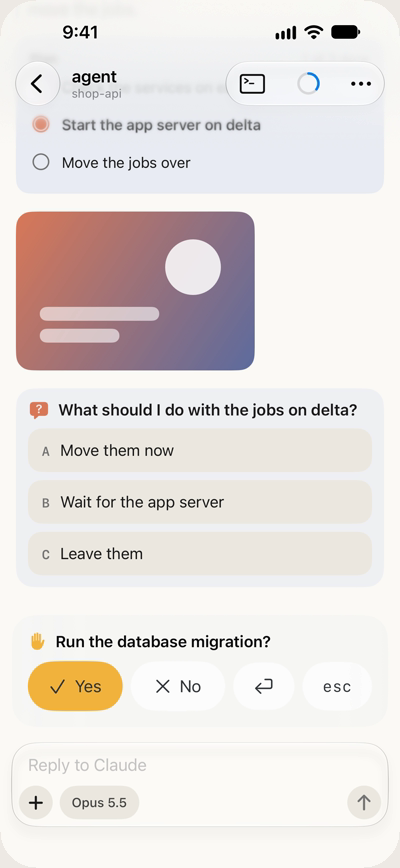
An agent on build-box has been waiting 12 minutes:

Run the database migration?

Bergr showing a blocked agent asking 'Run the database migration?' with Yes, No, Return and Esc buttons

Answer in one tap

An agent's question or approval becomes buttons: in the chat, on the Lock Screen and in the Dynamic Island. Every answer stays in the conversation.

Source on GitHub

What's in it

One app for every machine herdr runs on, with the ones that need you on top.

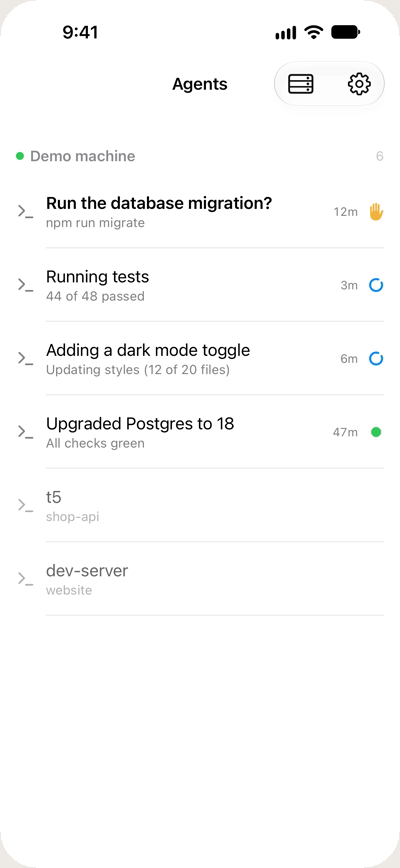
Every agent at a glance

One list across all your machines: which agents are working, which are done, which are waiting. Claude Code, Codex and Antigravity carry their logos, and sub-agents are counted.

A Live Activity, notifications and a Home Screen widget keep watch while the app is closed.

The Agents list on a demo machine, the migration question first

A chat for each agent

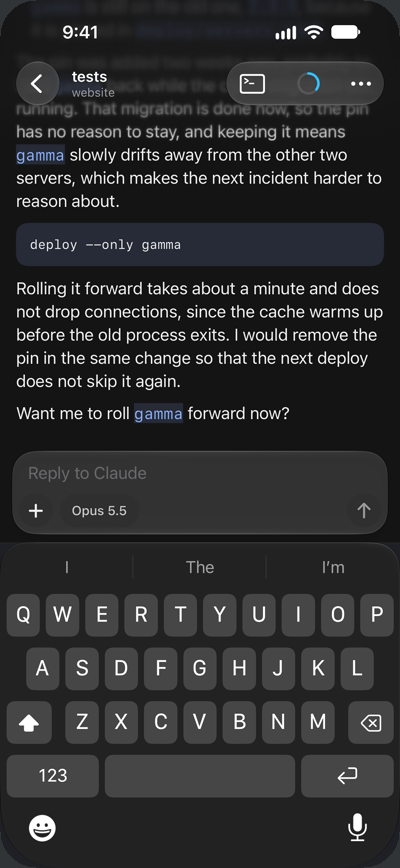
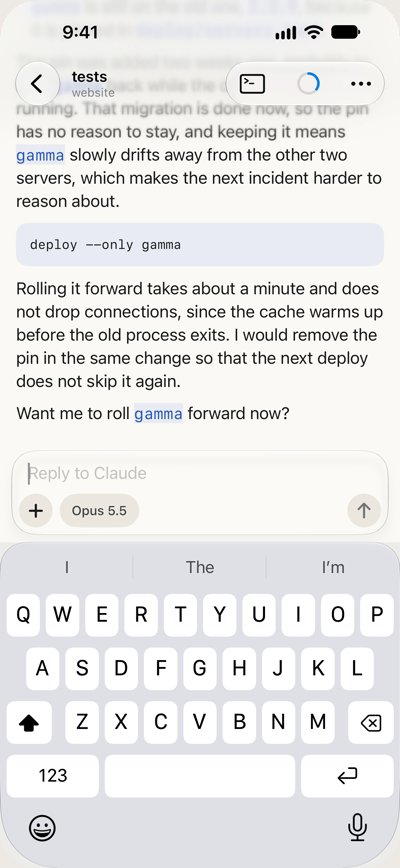
Replies stream in as they're written, with tool runs, plans, images and sub-agents.

  • Reply and attach images
  • Switch model, effort and permission mode
  • See how full the context is and how much of your plan you've used
A conversation with an agent about rolling a server forward, with the keyboard open

A real terminal underneath

When the chat isn't enough, the agent's real terminal is one tap away, drawn by Ghostty's libghostty-vt.

A key bar, hardware keyboards, links, scrollback and pinch to zoom.

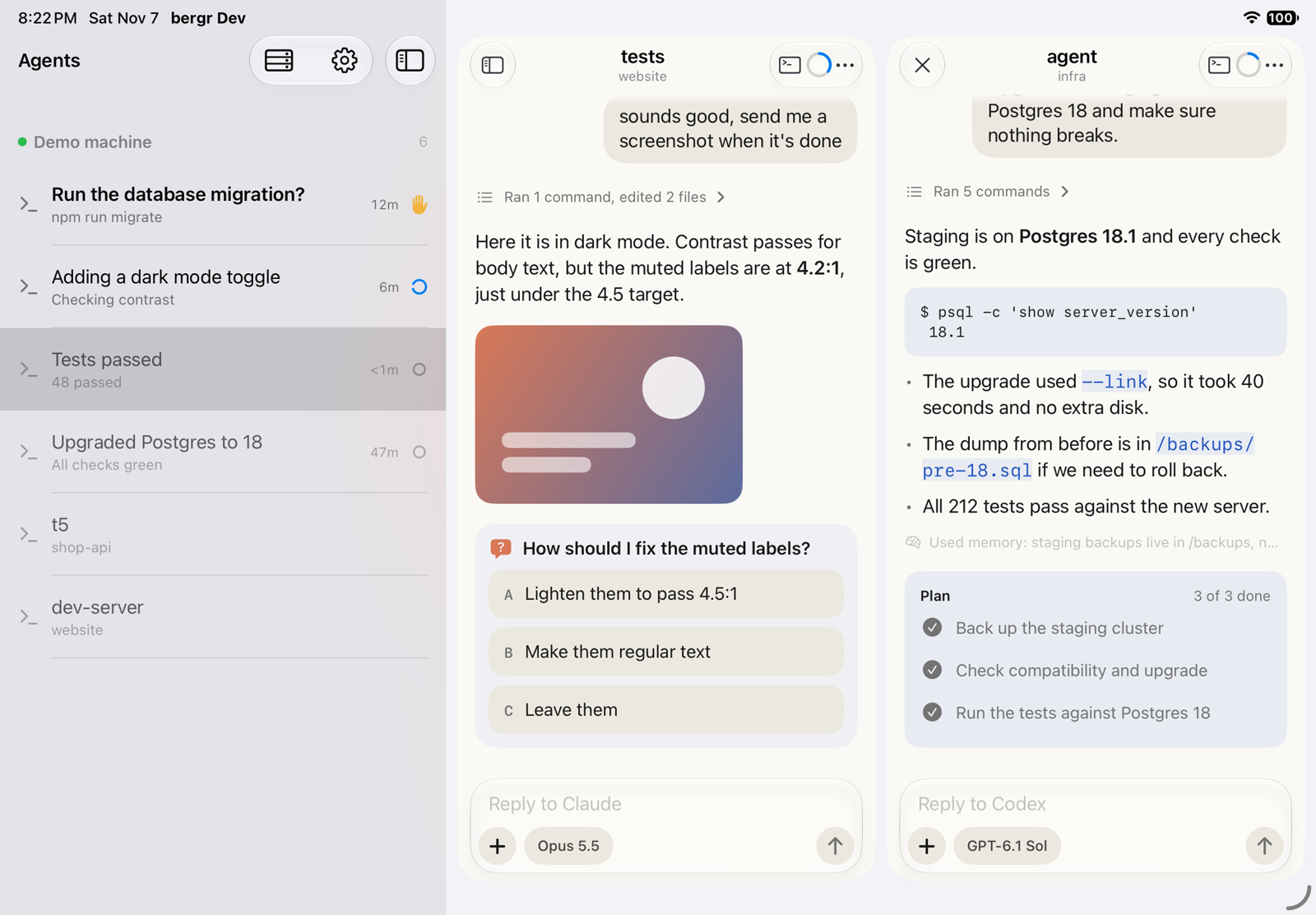
Side by side on iPad

On the iPad and the unfolded iPhone Duo, the agents sit next to the conversation, and a second conversation opens beside the first.

Every iPhone and iPad on iOS 26 or later.

Bergr on an iPad: the Agents list beside two conversations, Claude asking about contrast and Codex reporting a Postgres upgrade

Your machines, your keys

bergr talks to your machines and nothing else. It opens an SSH connection, runs herdr-core connect there, and speaks herdr-core's own protocol. There's no relay server and no account.

Its keys are made in the iPhone's Secure Enclave and can sit behind Face ID. If you'd rather use a key you already have, import it.

Host keys are checked on every connect, and connections follow your VPN, so a machine that's only reachable on your private network works the same from anywhere.

The code is open source under Apache-2.0.

bergr

bergr is an independent project. It isn't affiliated with or endorsed by the herdr project; it speaks herdr-core's public protocol.
Build it yourself

Until bergr is on the App Store, you can build it from source on a Mac and run it on your own iPhone.

  • Xcode 27
  • just
  • xcbeautify
  • pixi

Get the code

Clone with submodulesgit clone --recurse-submodules

Build

libghostty-vtjust ghostty
In the simulatorjust sim
HerdrKit testsjust test

On your iPhone

Sign with your team.envrc.local
Installjust phone
bergr on your iPhoneiOS 26+

Set BERGR_TEAM and BERGR_BUNDLE_ID_PREFIX in .envrc.local. Full steps on GitHub.

Questions

An iPhone or iPad on iOS 26 or later, and a machine running herdr-core that you can reach over SSH. bergr starts herdr-core connect there itself.

Get a telegram when bergr ships.

Watch releases on GitHub

On the repository, choose Watch, then Custom, then Releases. GitHub tells you when the App Store build is out.